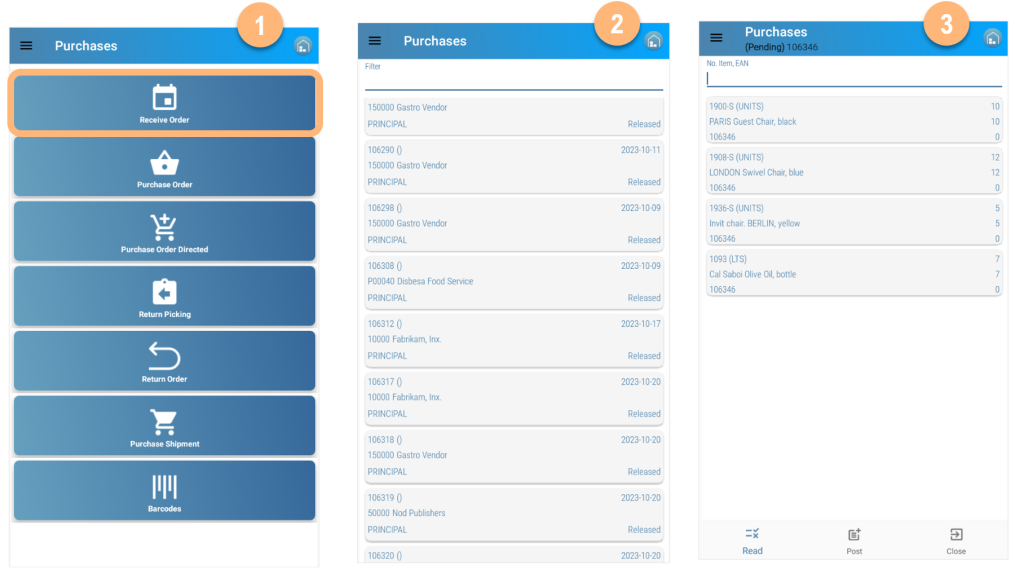
Receiving a pending Purchase Order
- Select Receive Order from the Secondary Menu
- Select the Order to receive
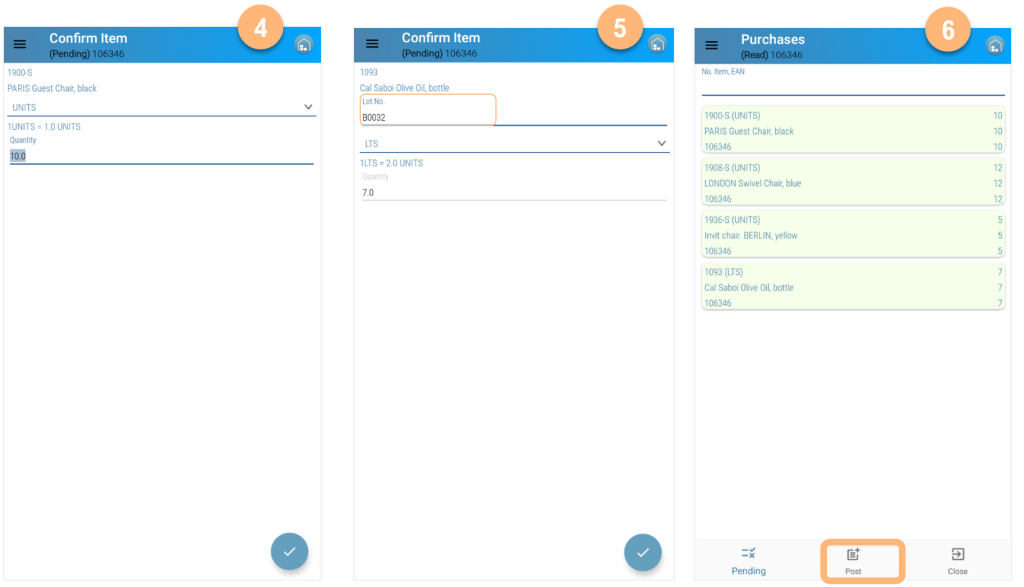
- Read the items and add quantities
- Add quantities of the item.
- In case of items with Tracking Code, read or select Lot No. or Serial No.
- Menu options
- Read to see all read items grouped
- Post to post the order.
- Close to exit, not posting
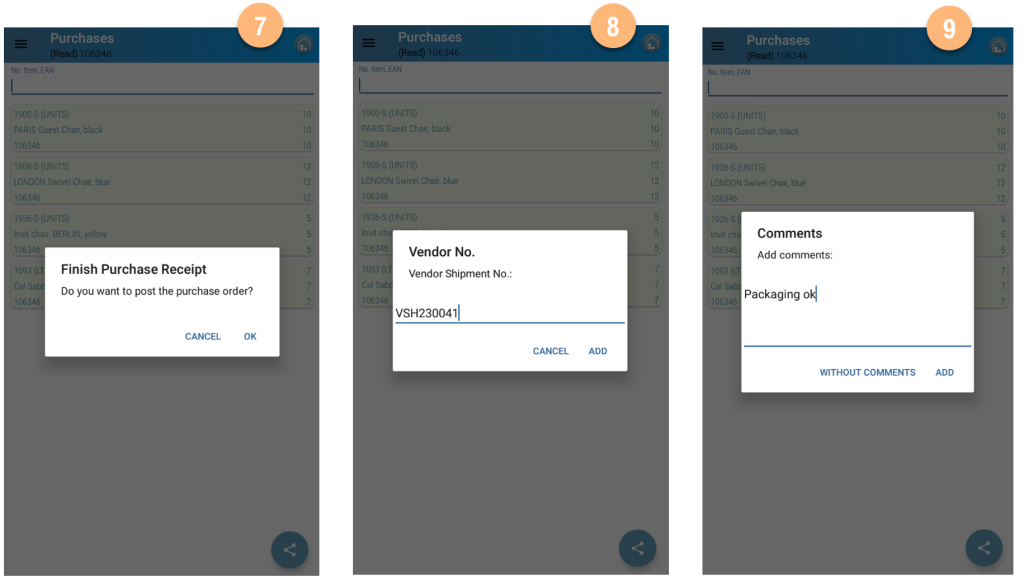
- Posting Order. The system allows to posting of partial orders
- Enter Vendor Shipment No.
- Add comments if necessary.