
Storing an scan or a picture of the vendor shipment during the purchasing order reception may be useful to have an historical evidence of the original shipment documents.
The operator can create the records easily at the end of the reception process, this functionality is available from version 29 of IM Warehouse Basic
Scanning shipments in IM Warehouse Basic
In IM Warehouse, select Purchase Order Reception
- Select Purchases
- Select the Receive Order
- Select the corresponding Order
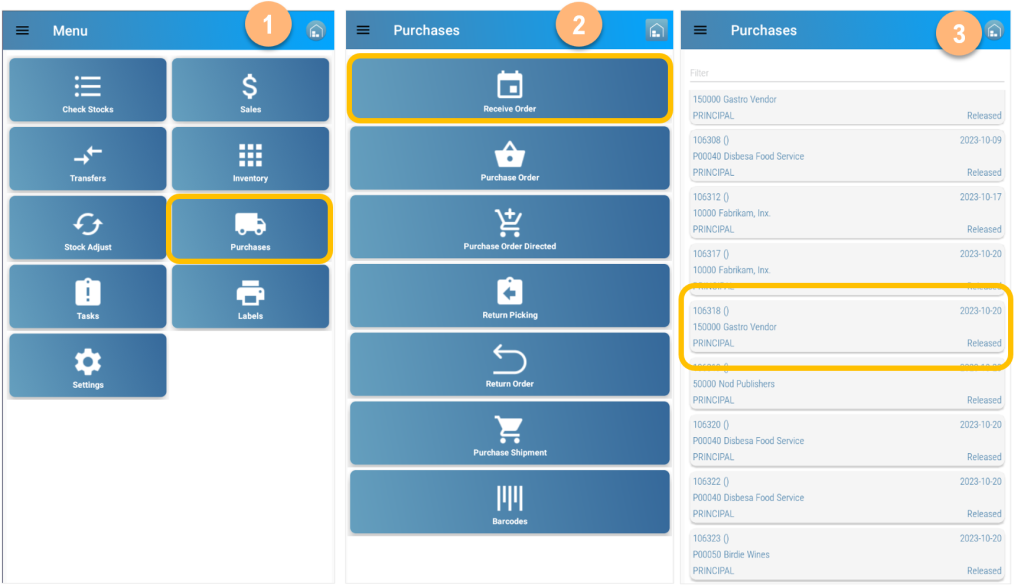
- Click on the bottom menu
- Select Photo
- Take a Picture or Import from Galery
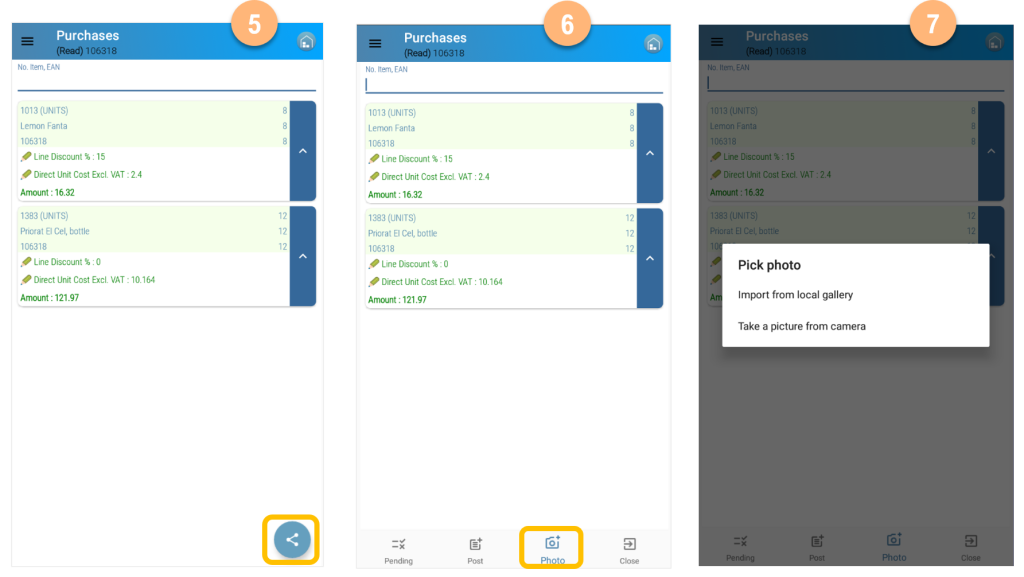
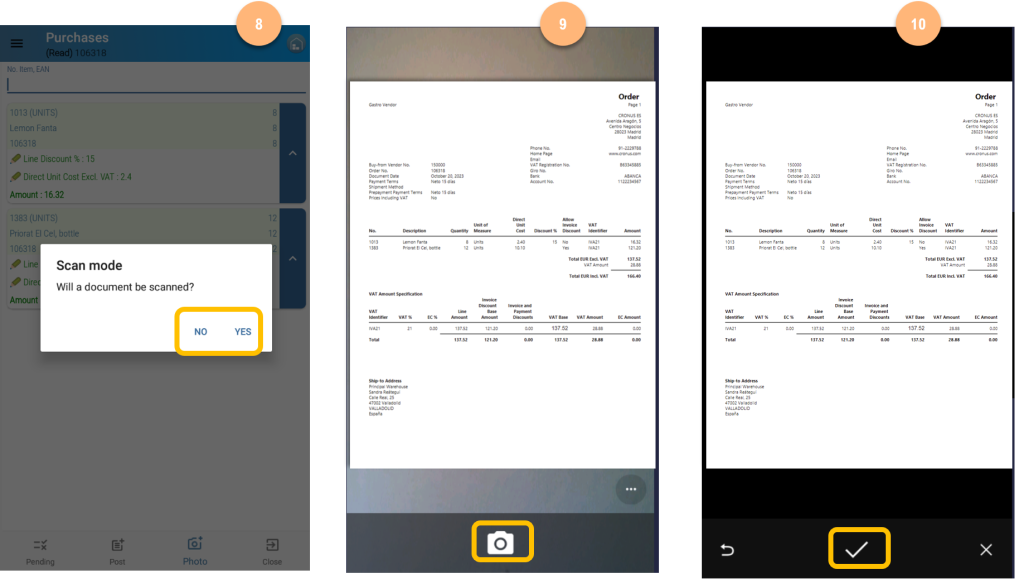
- Choose between taking a picture or scanning the document
- Take the picture or scan the document
- Save the image to the cloud
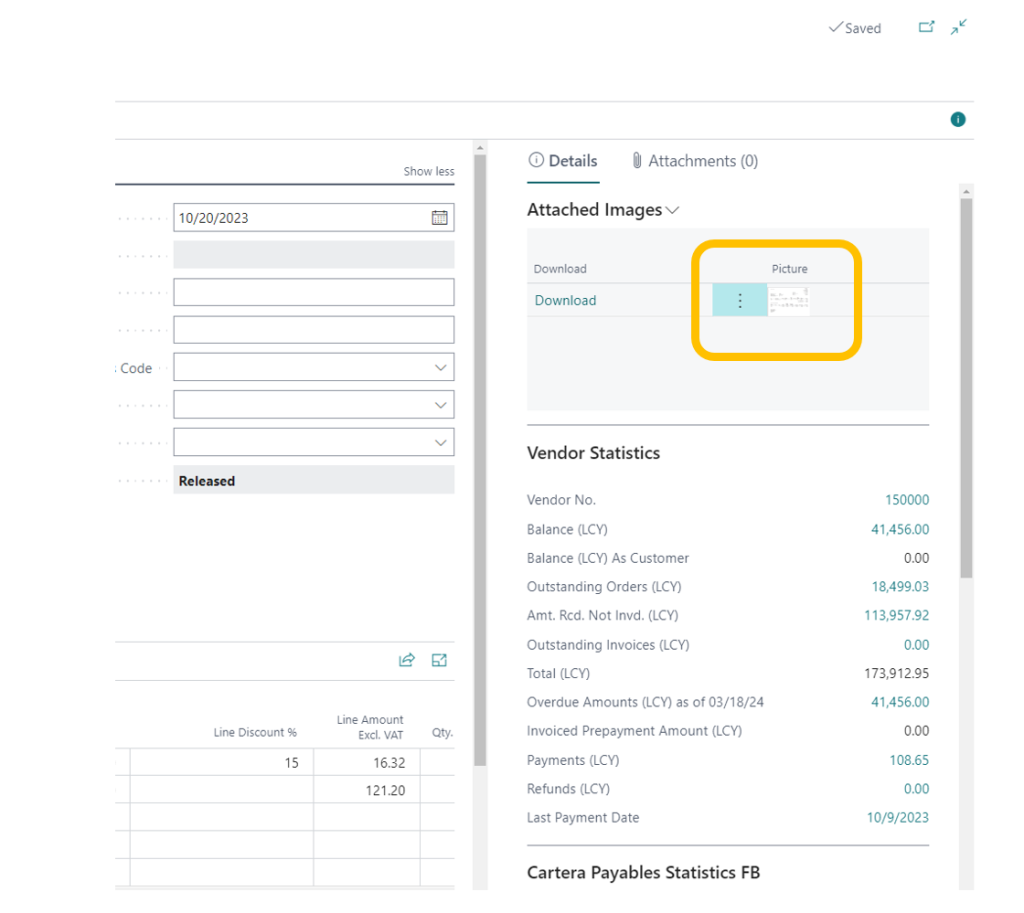
Picture Storage in the cloud
The picture will be linked to the purchasing document and can be retrieved from the Business Central Purchase Order document
Information storage must be determined from the IMW Setup options
Option 1: Storage in Business Central:

Option 2: Storage in Azure (the best option in case of high information volume):

