Updating Shelf Number information of an Item from Business Central
Go to IMW Setup

Select the corresponding option

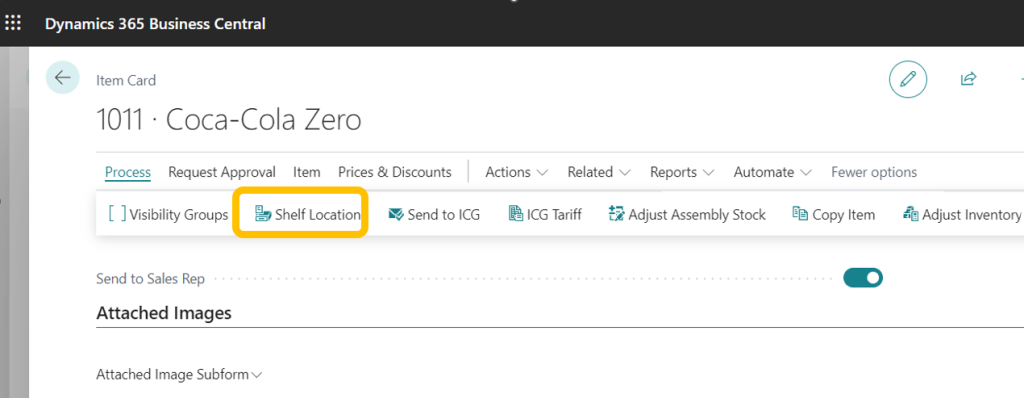
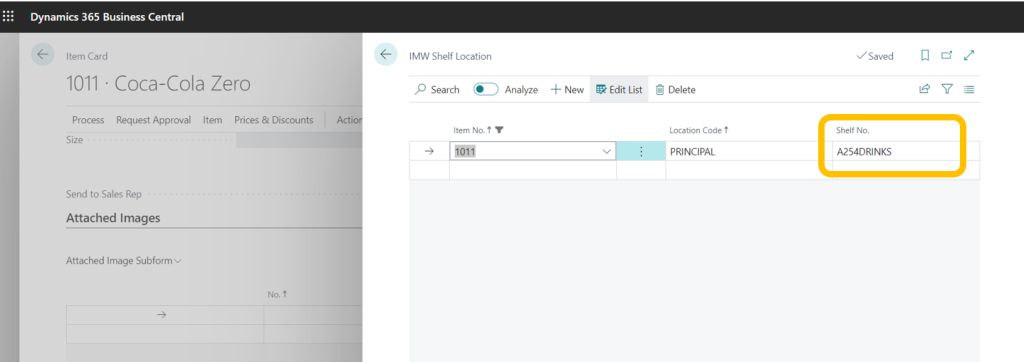
On the item card, populate the shelf Id. for each Location (only one per Location)


This information will be available when necessary on IMW screens; some examples are as follows:
Stock Info

Stock Adjustment

Purchase Reception

Inventory

Updating the Shelf Number of an item from IM Warehouse Basic
From version 29 onwards, we have added a new feature to update the shelf number of an Item in a specific Location directly from IM Warehouse.
- Select Inventory
- Manage Shelves
- Select the Item and enter the Shelf Number; this will update the information for the Location of the user.

The Shelf No information will be updated in Business Central in the Item Card