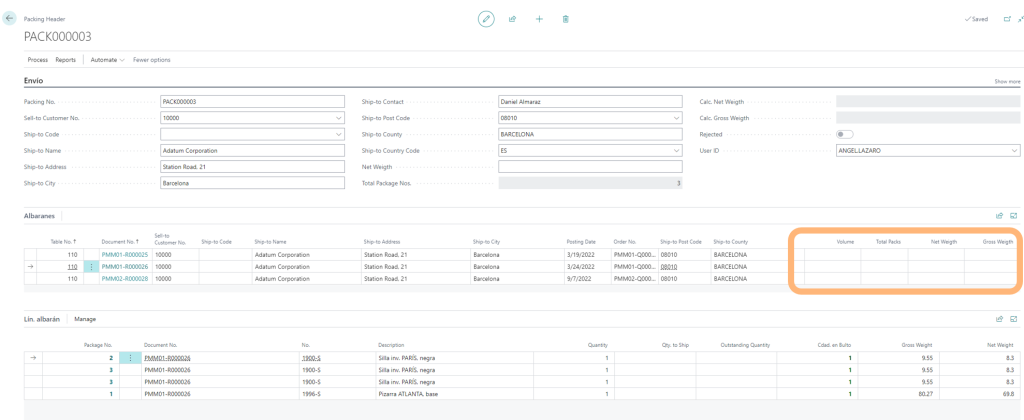
Prepare a Packing List selecting Sales Shipments from the same Customer/Shipping Address
PACKING OPERATIONS WITH IM WAREHOUSE
- Select Packing Option from the secondary Menu
- Create a new Packing List with the + icon
- Read or select shipments from a single Customer/Shipping Address

- Select all shipments from the Packing List
- Select Packages and read items
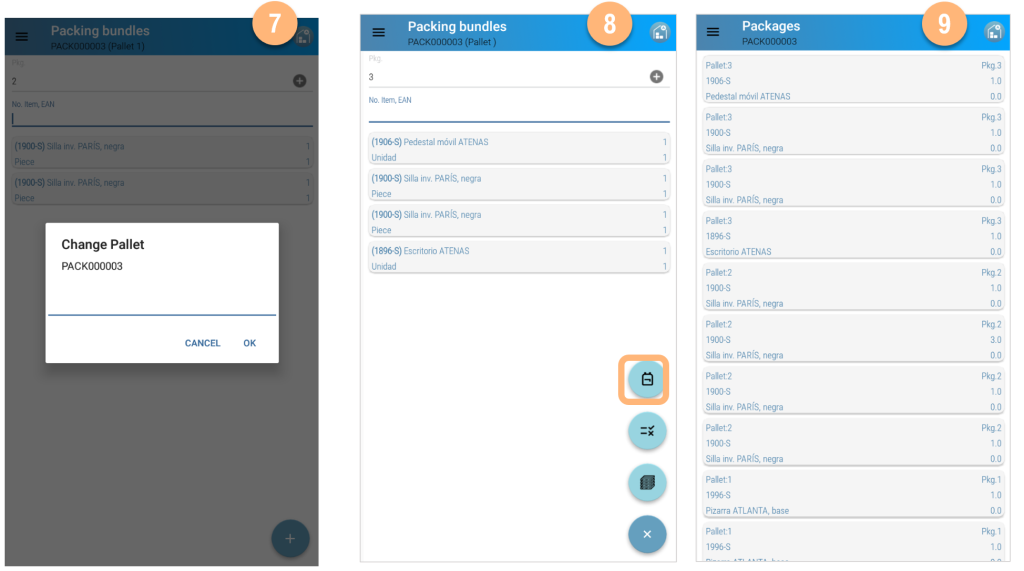
- Change the pallet with the corresponding menu option
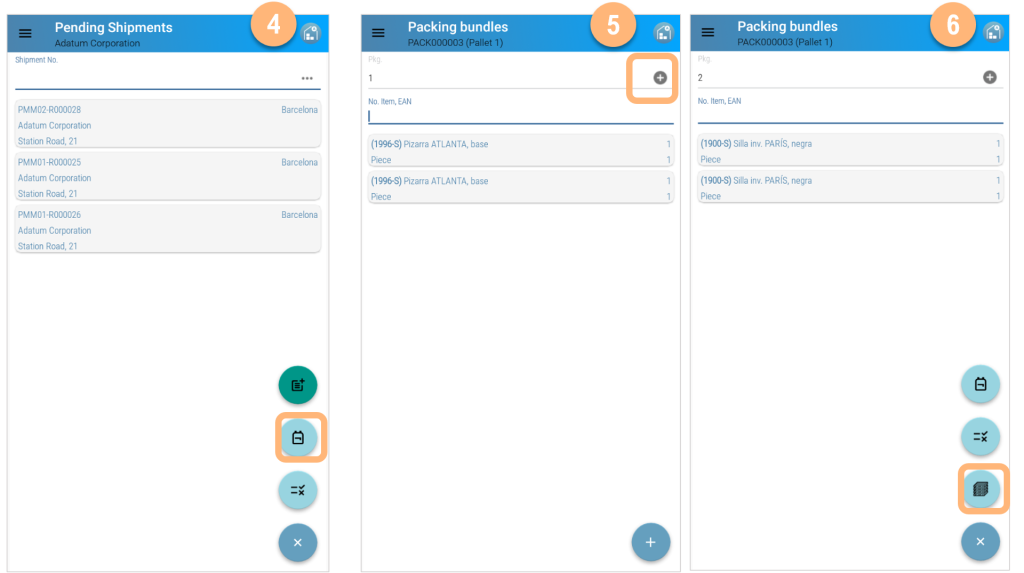
- Create a new Pallet with the Change Pallet icon
- Create new bundles in the new pallet
- Check the Packing List details
PACKING OPERATIONS WITH MICROSOFT DYNAMICS 365 BUSINESS CENTRAL
The packing List has to be worked up in Microsoft Business Central; select the document from the Packing option from the main menu.

Select the Packing List and populate the remaining data to be able to print the documentation and labels from Microsoft Dynamics 365 Business Central