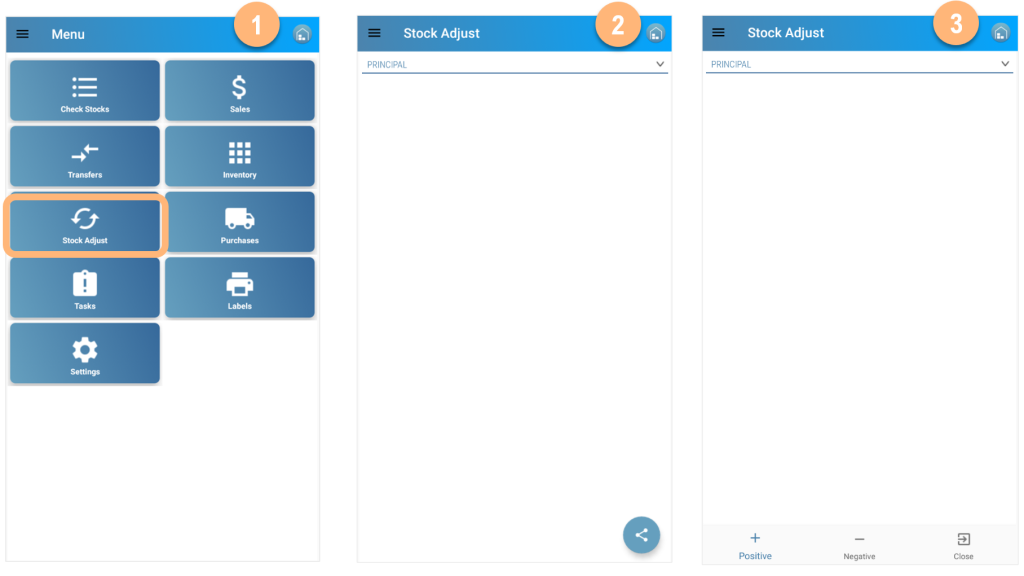
- Select the Stock Adjustment option
- Select the Location; user location set by default
- Choose “Positive” or “Negative” Adjustment
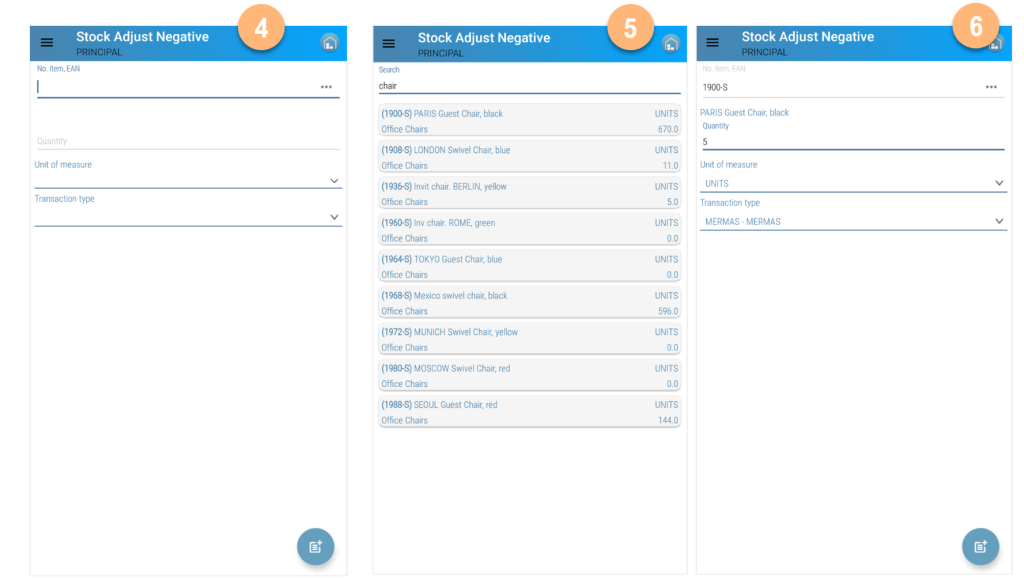
- Select or read the item to be adjusted
- If necessary filter manually and select the item
- Press the post icon and continue adding items. Exit when you finish and item adjustments will be posted.
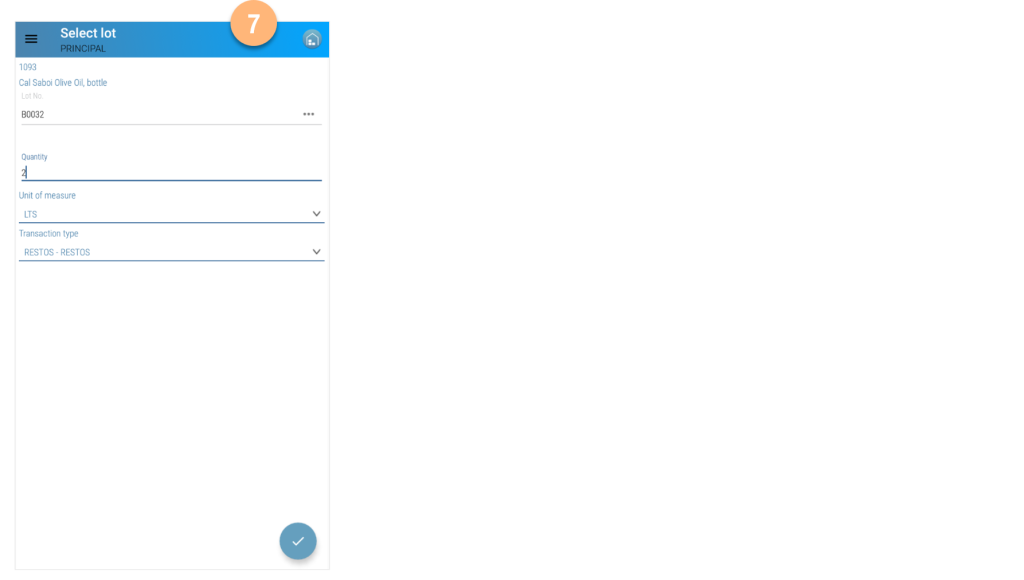
- In case of items with Tracking Code, read or select Lot No. or Serial No.