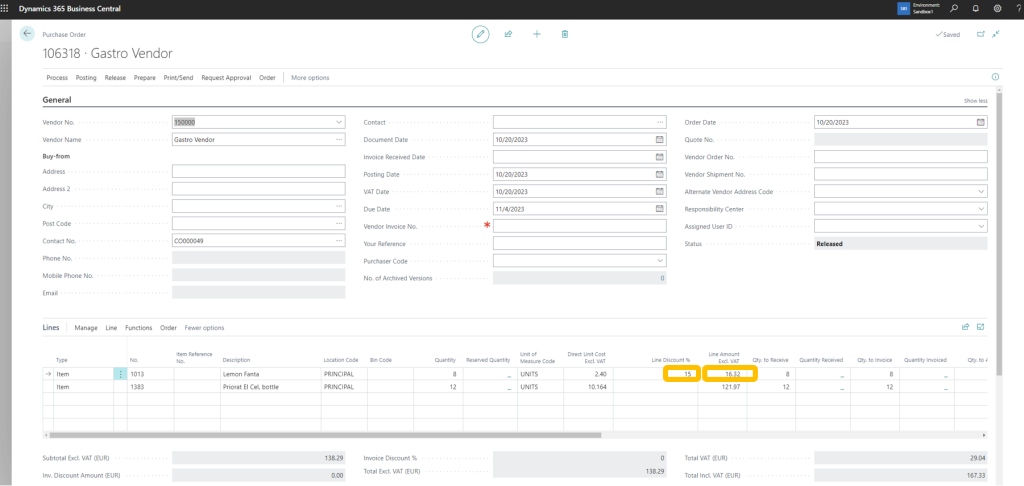
Reviewing and modifying purchasing costs when the Purchase Order is received is a feature that can be extremely useful, especially for fresh goods or merchandise with different daily prices.
Correcting the prices of shipments in the reception process will make reconciling the invoice easy for your accountancy department. It will also boost OCR functionality, reducing administration costs dramatically.
Just follow this guide to enable this new feature, available for version 29 of IM Warehouse Basic
ENABLE ADDITIONAL FIELDS
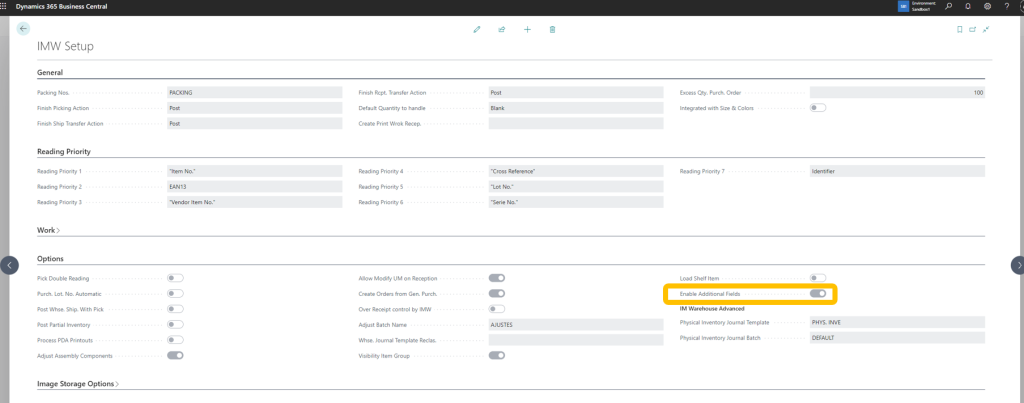
From the main menu, select IMW Setup

Enable the Additional Fields option
ADDITIONAL FIELDS SETUP
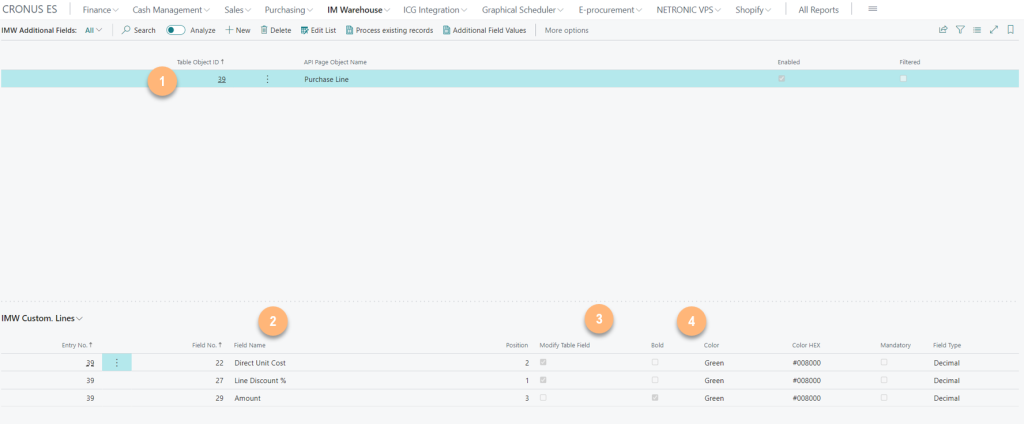
Click on the corresponding option of the main menu:

Press the New option and select the table and the field to be enabled:
- Select the field table
- Select the field
- Define if the operator can modify it
- Color and Bold of the field
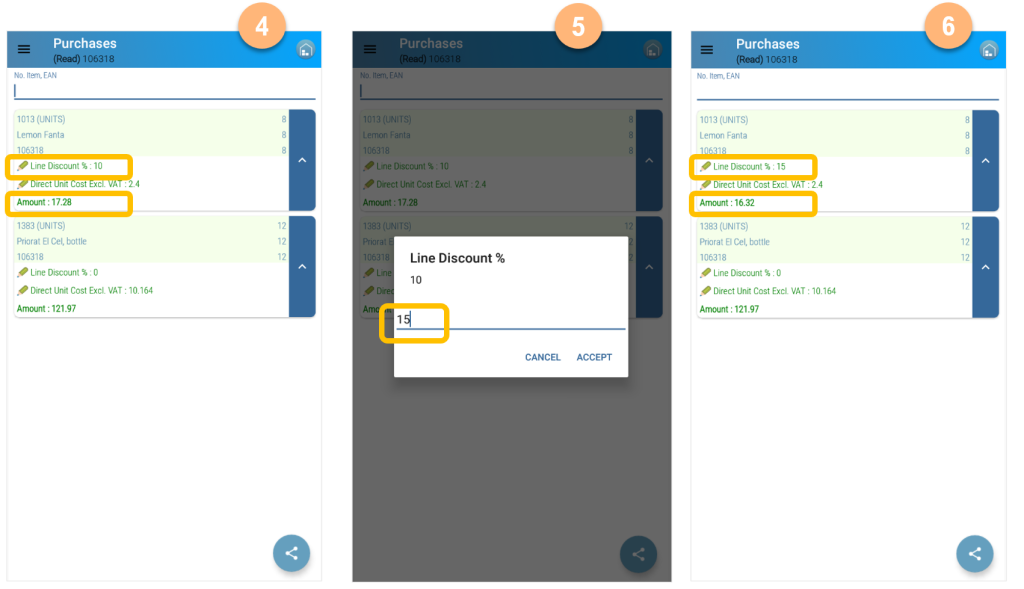
In IM Warehouse, select Purchase Order Reception
- Select Receive Order from the Secondary Menu
- Select the Receive Order
- Select the corresponding Order

- Receive goods
- Review prices and update values if necessary
- Validate that the Line Amount corresponds with the vendor shipment values
Then, the value is updated in the Business Central Purchase Order